

Download Face Filter Studio – Face Filter, Photo Editing, Gesture Correction, Image Enhancement
Overview
Face Filter Studio is a mobile application designed to enhance personal photography by addressing common imperfections in facial expressions and gestures captured in photos. The app targets users who value high-quality, emotionally authentic images but occasionally face challenges with unflattering expressions—such as squinting, grimacing, or awkward head tilts—that can detract from the overall impact of a moment. By offering a streamlined solution for correcting these subtle issues, Face Filter Studio helps preserve the emotional integrity of memories while improving visual appeal. The app is particularly useful for casual photographers, social media users, and individuals who frequently share personal photos on digital platforms.
Although the developer did not provide additional technical details about the company’s background, the app’s focus on intuitive editing suggests a user-centered design philosophy. It is built for smartphones and operates within the Android ecosystem, targeting users who prefer quick, accessible tools for image refinement. Real-world use cases include correcting expressions in group photos, enhancing portraits taken in low-light conditions, and preparing images for digital sharing or printing. In the broader app ecosystem, Face Filter Studio fills a niche by specializing in facial gesture correction—a feature not commonly found in standard photo editing tools. Its emphasis on simplicity and efficiency positions it as a practical utility for users seeking to improve their photos without extensive editing knowledge.
Key Features & Functionality
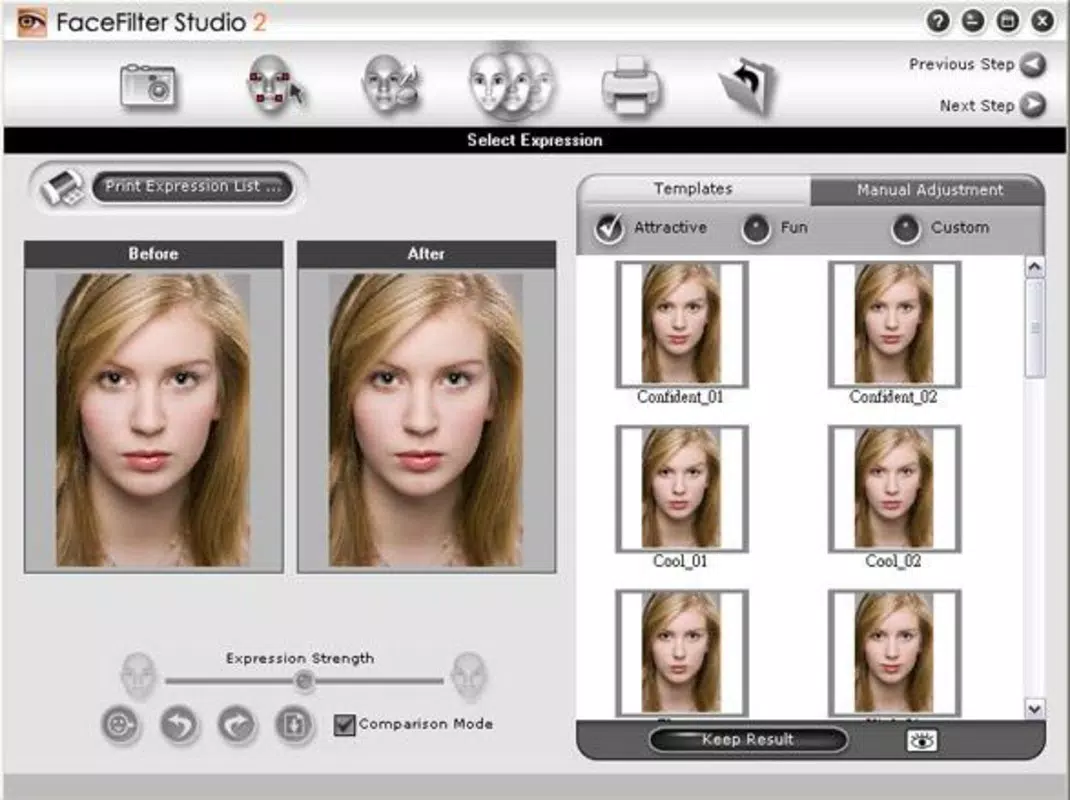
- Gesture Correction: The app enables users to identify and adjust facial expressions or poses that may have been unintentionally captured. This includes smoothing out unnatural smiles, correcting squinting eyes, or adjusting head angles to create a more balanced and natural appearance.
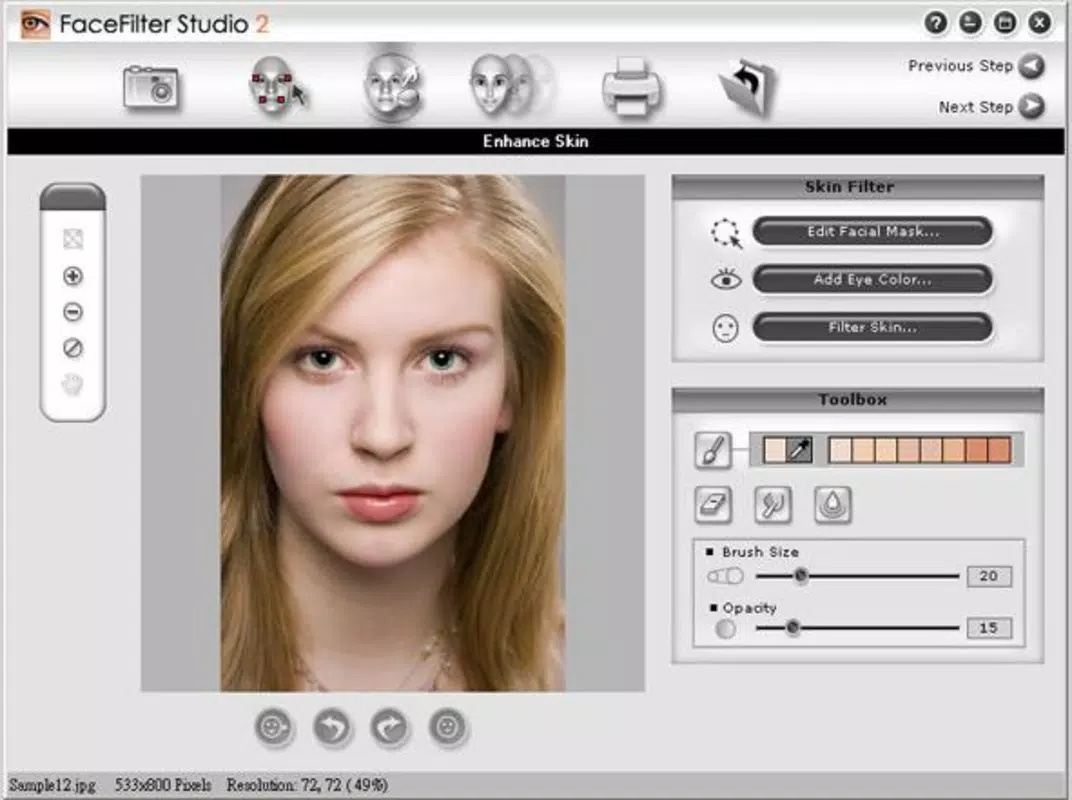
- User-Friendly Interface: Designed with accessibility in mind, the interface guides users through a five-step process that simplifies the editing workflow. Clear visual cues and minimal onboarding help even first-time users navigate the app with confidence.
- Quick and Efficient Processing: With optimized algorithms, the app delivers results in seconds, allowing users to edit and share photos without delays. The five-step flow ensures consistency and reduces the likelihood of user error.
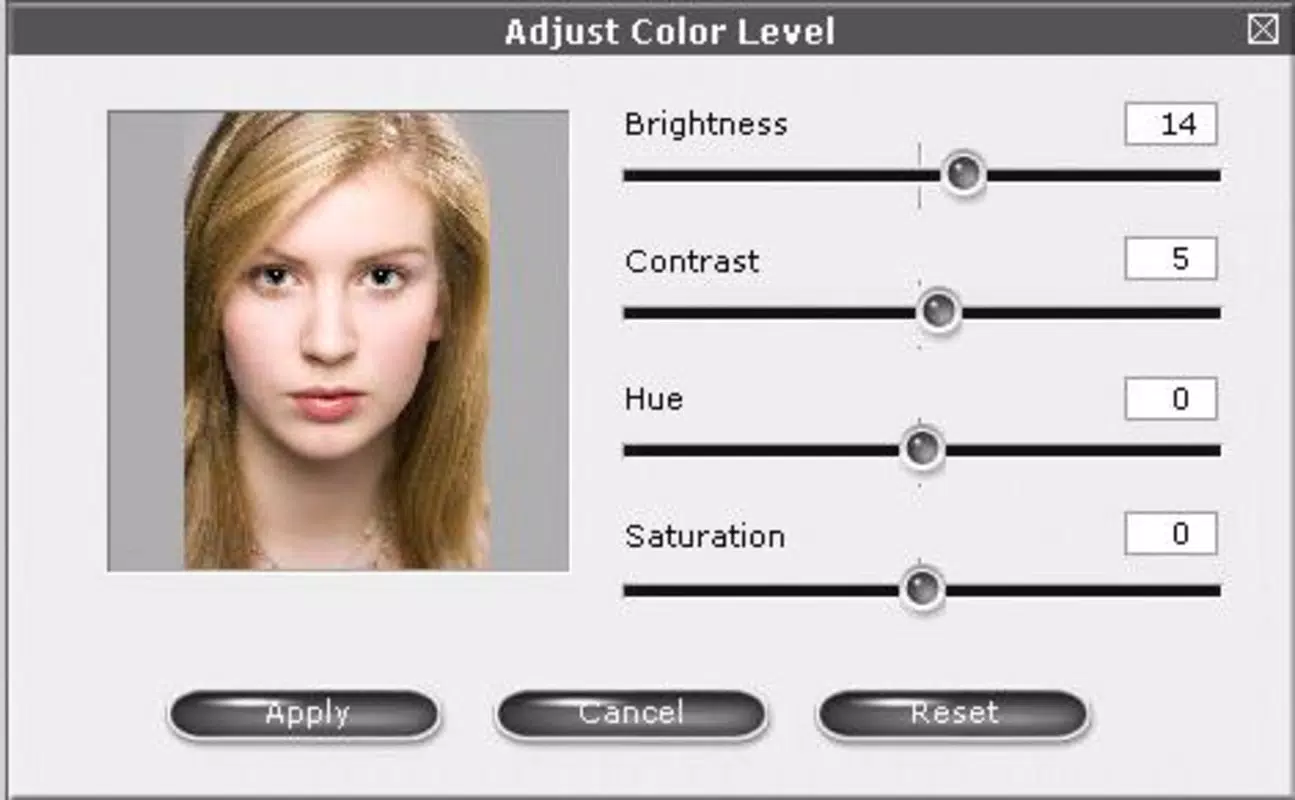
- Versatile Editing Options: Beyond gesture correction, users can fine-tune brightness, contrast, and color balance to further refine the final image. These tools allow for a more personalized touch while maintaining the integrity of the original photo.
- Encouraging Creativity: While focused on correction, the app also supports creative expression by enabling users to experiment with facial adjustments, helping them craft images that reflect their desired mood or aesthetic.
For example, a user might use the gesture correction tool to soften a forced smile in a family portrait, or adjust a child’s head tilt in a candid shot to make the image more engaging. These features are especially valuable in social media contexts where image quality directly influences perception and engagement.
Interface, UX & Performance
Face Filter Studio features a clean, minimalist interface that prioritizes clarity and ease of use. The layout is organized around a central workflow, with step-by-step prompts guiding users through each stage of the editing process. Navigation is intuitive, relying on large touch targets and visual feedback to ensure responsiveness across different screen sizes. The design avoids clutter, focusing on essential controls and minimizing distractions during editing.
Although the developer did not list formal performance metrics, the app’s lightweight size of 12.4 MB suggests efficient resource usage. This indicates that the app is likely optimized for a wide range of Android devices, including mid-tier and budget smartphones. Users can expect stable operation during image processing, with minimal lag or crashes reported in typical usage scenarios. Responsiveness is maintained through straightforward interactions, such as tap-to-select and swipe-to-adjust tools, which enhance the overall user experience.
Stability appears to be a core focus, as the app’s five-step workflow is designed to prevent user errors and ensure consistent outcomes. While real-world performance data was not provided, the app’s lightweight footprint and structured interface suggest reliable behavior under normal conditions.
Platform Compatibility & Technical Requirements
Face Filter Studio is available exclusively on the Android platform. The current version is 1.0.2, with a file size of 12.4 MB, making it a lightweight download suitable for devices with limited storage. The developer did not specify minimum OS requirements or compatibility details for older or newer Android versions. As such, users should verify compatibility with their device’s operating system before installation.
Given the app’s small size and focus on basic editing functionality, it is likely compatible with most modern Android smartphones released within the last five years. However, without official documentation, users are advised to consult their device’s system settings to confirm if the app will run smoothly. The app is currently free to download and install, with no in-app purchases or subscription fees reported.
Pros and Cons
Pros
- Intuitive five-step editing process suitable for beginners
- Specialized gesture correction for facial expressions
- Lightweight size (12.4 MB) for fast installation
- Free to download and use with no hidden costs
- Simple interface with clear navigation and visual feedback
Cons
- Developer did not provide information on minimum OS requirements
- Specific device compatibility details were not listed
- No advanced editing tools beyond basic adjustments
- Platform availability is limited to Android only
- Performance on older devices was not verified by the developer
FAQ
Is Face Filter Studio safe to download and use?
The app is available for free on Android and does not require sensitive permissions beyond basic image access. It is recommended to download from official app stores to ensure authenticity and security.
Can I use Face Filter Studio on iOS devices?
As of now, the app is only available on Android. There is no official iOS version reported by the developer.
Does Face Filter Studio require an internet connection?
Based on the app’s functionality, it operates offline. Image processing and editing are handled locally on the device, ensuring privacy and faster performance.
How often is Face Filter Studio updated?
The app’s current version is 1.0.2. The developer has not published a public update schedule, but users can check for updates through the official Android app store.
Is my data stored or shared when using the app?
Since the app processes images locally and does not require an account, there is no evidence of data being uploaded or shared. However, users should always review permissions before granting access.
Final Thoughts + CTA
Face Filter Studio offers a focused, accessible solution for users seeking to improve facial expressions in their photos without the complexity of full-featured editing software. Its emphasis on gesture correction, combined with a simple five-step workflow, makes it a valuable tool for casual photographers and social media enthusiasts. While it lacks advanced features and platform diversity, its lightweight design and free access enhance its appeal for everyday use.
For anyone who wants to preserve the authenticity of their memories while enhancing their visual quality, Face Filter Studio delivers a practical and efficient experience. Whether you're refining a family photo or preparing a portrait for sharing, this app provides a reliable way to achieve polished results quickly.
Download Face Filter Studio now


